


Trinity Health MyChart
4.22.20K Reviews
App Specs
- Version
- 11.5.2
- Updated On
- License
- Free
- Downloads
- 500,000+
- Developer
- Trinity Information Services Web Development
- Categories
- Medical
- Platform
- Android, iOS
Screenshots
 Analysis by AppCompare
I find a patient portal most useful when it removes small obstacles from healthcare rather than pretending to replace a clinician. Trinity Health MyChart is a medical app from Trinity Information Services Web Development, built around a Trinity Health MyChart account. Its promise is practical: keep parts of managing care within reach on a phone. That can matter when an appointment, a question, or a result is competing with the rest of a busy day.
Readable screens and a familiar starting point
The app’s value depends less on having a long list of tools than on whether I can find the one I need when I am distracted. A patient portal is already dealing with unfamiliar medical terms and personal information; a crowded interface would add needless effort. In my experience, the restrained layout described in the original review is a sensible fit for that job: it lets appointment, results, and care-related tasks remain the focus instead of making the app feel like a general-purpose health dashboard.
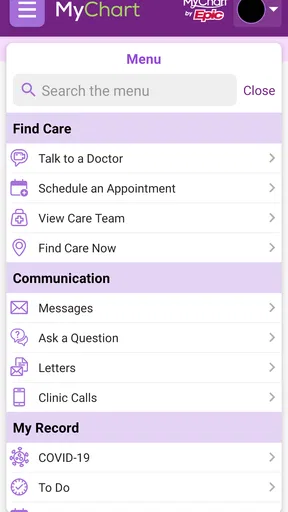
Navigation clarity is especially important when I open a portal for a single purpose and want to leave again. If I am checking whether a result has appeared, I do not want to spend time exploring unrelated sections. I would approach it with a simple habit: learn where the main account and care areas sit during a calm moment, then use those familiar routes when I am in a hurry. That small bit of preparation can make a difference for someone who rarely uses health apps.
The app is free, is rated for Everyone, and has an average rating of 4.3 from around 4,000 ratings. Those figures suggest that many people have found it useful, but they cannot tell me whether its layout will suit every person or whether a particular function is available for every account. I treat the rating as context, not a substitute for checking whether Trinity Health is the care system I need to reach.
Different abilities, different demands
Clear organization can help people who find dense screens tiring, but a clean interface alone does not guarantee that every interaction will work well for every ability. I would judge the app in the situations that matter to me: whether text is comfortable to read, whether key controls are easy to locate, and whether the steps for a task are manageable on my device. If I rely on system display or accessibility settings, I would try them with the app before depending on it for time-sensitive care.
For someone with limited dexterity, short sessions can be easier than completing every health task at once. I would avoid trying to schedule an appointment, read a long result, and send a message in one rushed sitting. Instead, I would handle one task at a time and pause to check that each action has gone through. The app’s convenience is most helpful when it reduces pressure, not when it encourages me to move faster than I can comfortably manage.
Notifications and health information also create a sensory and emotional trade-off. An alert may be useful when I am waiting for a result, but repeated checking can become stressful, and a medical result can be difficult to interpret without a conversation. I would use notifications as a prompt to return to the portal, not as an explanation of what a result means. When I need context or reassurance, I would bring the information to my healthcare provider rather than trying to draw a conclusion from a screen alone.
Worth Reading Before You Choose

EA SPORTS FC Mobile 26 Is a Bigger Football Game, but It Takes Time

Flipboard Shows What News Apps Must Do Beyond the Feed

Switching to Android Auto Means Rethinking Your Driving Routine

Google Calendar Makes a Crowded Week Easier to Manage

Ludo King Makes the Most of the Minutes Between Plans

Baby Panda World Brings Quick Play to Modern Phones, but Its Game Library Feels Busy
Using the portal in everyday care
I use this section to consider how the portal fits around ordinary care tasks, from preparing for an appointment to deciding when a phone call is still the better route. The key is to treat mobile access as a helpful option for supported, non-urgent needs, then look at the practical habits that make those moments easier.
When mobile access helps—and when it does not
A realistic use case is a workday appointment that needs to be fitted around family or job responsibilities. I might check the available appointment options during a break, choose a time that works, and later use the app to review a result or send a non-urgent question. That can spare me a phone call for a task the portal supports. It does not mean every appointment can necessarily be booked this way, so I would keep the clinic’s usual contact route available if the option I need is not shown.
The messaging feature is best understood as a channel for matters that can wait. It may be convenient for a straightforward follow-up question, but I would not use it for urgent symptoms or assume that a message will be read immediately. If a concern needs quick attention, calling the appropriate care service is the safer choice. That distinction is easy to overlook when a phone makes messaging feel instant.
Compared with a paper folder, a portal can make it easier to return to health information without carrying documents around. Compared with calling a clinic, it can be more convenient for supported tasks that do not need a live conversation. But neither option is always better: paper can be useful when I need to share notes with someone who does not use the portal, and a phone call is better when the issue is urgent, complicated, or hard to explain in writing. I see the app as one route into care, not the only one.
It may suit people who already receive care through Trinity Health and want a phone-based way to manage supported parts of that relationship. It is less likely to help someone whose providers are outside that system, someone who prefers all health matters to be handled by phone, or someone who needs a clinician to explain a result before reviewing it. A portal can make information easier to reach; it cannot make a provider relationship appear where one does not exist.
Useful habits and practical trade-offs
One helpful habit is to check the account before a busy stretch rather than waiting until the moment an appointment or result becomes pressing. I would confirm that I can sign in and find the relevant area while I have time to recover from a forgotten password or other access snag. That is particularly useful if I intend to rely on the app during travel or between appointments. The app is only a time-saver when I can get into the account when I need it.
A second practical tip is to treat medical information as something to review with a purpose. If I open a result, I can note what I want to ask the clinician instead of trying to interpret every term on my own. For a follow-up visit, having the relevant information accessible may help me prepare a clearer question. This is a modest but useful role for a patient portal: it can support a better conversation without becoming the conversation itself.
There is also a trade-off between convenience and the phone being a comfortable place to handle sensitive topics. I would avoid reviewing personal health details where someone nearby can see my screen, and I would use the device’s available lock or sign-in protections. Those are sensible personal habits for any health account, rather than a reason to assume that an app eliminates privacy risks. If I share a device, I would be especially careful about leaving the account open.
Access, account limits, and a fair verdict
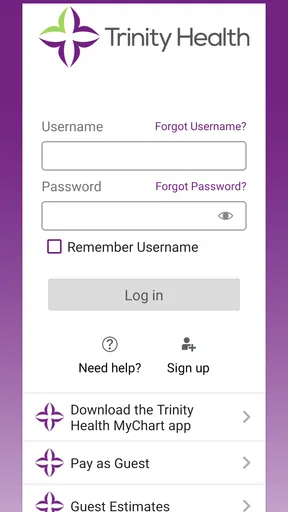
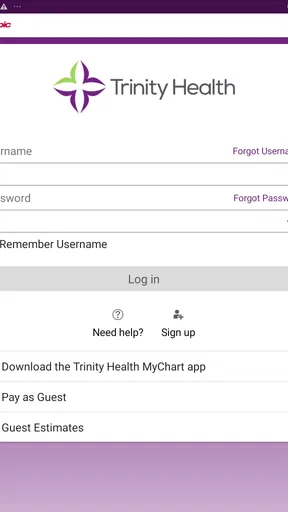
People often wonder whether installing a portal is enough to use it. It is not: access is tied to a Trinity Health MyChart account, so the first practical question is whether the person’s care is connected to that system and whether they can complete account setup. Identity verification is part of the setup described in the original review. I would do that in a private, unhurried setting, and seek help through the care organization’s normal support route if I cannot complete it rather than repeatedly guessing at personal details.
Another reasonable question is whether the app replaces appointments, calls, or medical advice. I would not treat it that way. Its strongest role is to make certain administrative and informational tasks easier to handle between interactions with a clinician. A portal message is not emergency care, and access to a test result is not the same as an explanation of its significance. Keeping those boundaries clear makes the convenience more useful and less likely to create false confidence.
The app has been available since January 9, 2020, and its current version is 11.5.2. It has over 100,000 installs and around 2,100 written reviews, which gives a prospective user a sense that it is an established option rather than an obscure download. Those figures do not guarantee that every experience will be smooth, so I would still judge it by whether it works with my account and whether its navigation suits my needs.
My inclusive verdict is positive but conditional. The app’s phone-based access and straightforward approach can reduce the effort of handling routine care tasks, especially for someone who is comfortable reading health information on a mobile screen and already uses Trinity Health services. For users with visual, motor, cognitive, or sensory needs, the right test is personal: try the key tasks with the settings and support methods that work for you, and keep another way to contact the clinic available. I would recommend it as a useful companion to care, not as a universal solution for every ability or situation.
Getting Started with Trinity Health MyChart
First off, downloading Trinity Health MyChart was a breeze. Available on both Android and iOS, the app installs quickly and jumps right into the setup. You’ll need to create an account if you don’t already have one, which involves entering some personal details and verifying your identity. No surprises there.
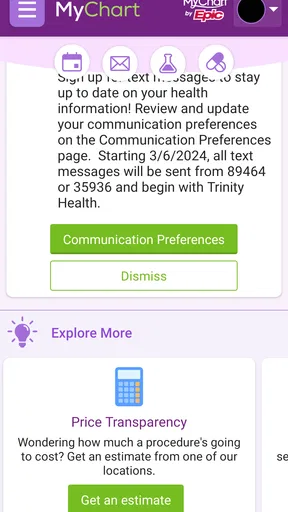
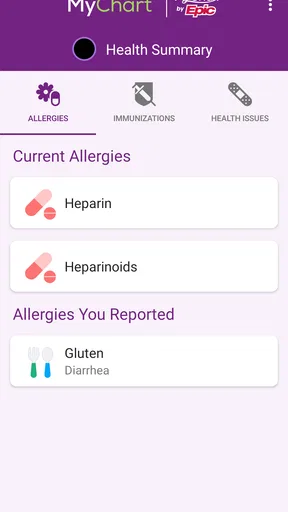
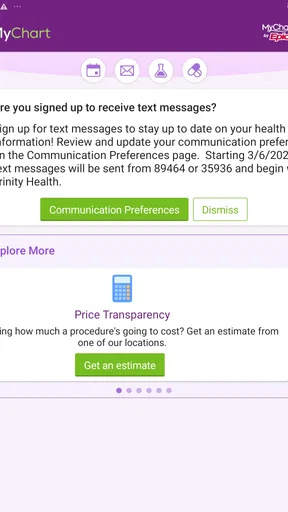
Once you’re in, the app greets you with a clean and intuitive interface. It’s straightforward and doesn’t overwhelm you with options right out of the gate. Everything is categorized logically, making it easy to find what you need, whether it’s booking an appointment, checking test results, or contacting your healthcare provider.
The Features You’ll Love
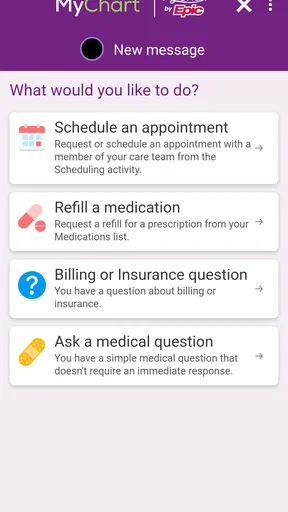
One of the standout features for me is the ability to schedule appointments directly from the app. No more endless phone calls or waiting on hold. You can view available slots and book what works for you. It’s a real time-saver.
Another gem is the access to test results. As soon as your doctor uploads them, you get a notification. It’s incredibly convenient to have this information at your fingertips rather than waiting for a call or letter. Plus, you can track your health history over time, which is a fantastic feature for those of us trying to stay proactive about our health.
Messaging your healthcare provider is also a breeze. You can send questions or concerns directly through the app and typically get a reply within a day. It’s perfect for those non-urgent questions that don’t warrant a trip to the clinic.
Navigation and Usability
The app’s usability is top-notch. Navigation is intuitive with a neat menu that makes accessing different sections easy. The design is user-friendly, and I didn’t encounter any glitches or crashes during my use, which is always a plus.
For tech-savvy users, the app also offers some neat integrations. You can sync it with your fitness tracker or health apps on your phone to get a more holistic view of your health. This feature is especially useful if you’re into tracking your fitness and wellness metrics.
Privacy and Security
When it comes to healthcare, privacy and security are paramount. Trinity Health MyChart takes this seriously. The app uses robust encryption to protect your data, and you can set up additional security measures like fingerprint or face recognition.
It also provides detailed information about data usage and privacy policies, which is reassuring. Knowing that my personal health information is secure gives me peace of mind.
Final Thoughts
Overall, my experience with Trinity Health MyChart has been positive. It brings all your healthcare needs into the palm of your hand, saving time and reducing the stress of managing appointments and medical records. While it might not replace the human touch of a healthcare provider, it certainly complements it by making everything more accessible.
If you’re looking for a convenient way to stay on top of your health, I’d recommend giving Trinity Health MyChart a try. It’s like having a personal assistant for your health, minus the hefty salary!
Pros
- User-friendly interface for easy navigation.
- Quick access to medical records and history.
- Secure messaging with healthcare providers.
- Appointment scheduling feature is intuitive.
- Lab results available in real-time.
Cons
- Occasional app crashes disrupt user experience.
- Limited customization of notification settings.
- Some features require internet connectivity.
- Login issues reported by some users.
- Limited language support for non-English speakers.
FAQs for Trinity Health MyChart
What is Trinity Health MyChart and what can I do with it?
Trinity Health MyChart is a comprehensive app designed to help patients manage their healthcare online. Users can access their medical records, schedule appointments, request prescription refills, and communicate with their healthcare providers. The app aims to simplify healthcare management by providing easy access to essential medical information and services.
Is Trinity Health MyChart secure for my personal health information?
Yes, Trinity Health MyChart is designed with robust security measures to protect your personal health information. The app uses encryption and other security protocols to ensure that your data remains confidential. Users are encouraged to use strong passwords and enable two-factor authentication for added protection.
Can I access Trinity Health MyChart on both Android and iOS devices?
Absolutely. Trinity Health MyChart is available for download on both Android and iOS platforms. Users can find the app on the Google Play Store for Android devices and the Apple App Store for iOS devices. The app provides a seamless experience across different devices, allowing access wherever you are.
What should I do if I encounter technical issues with the app?
If you experience technical issues with Trinity Health MyChart, the first step is to ensure your app is updated to the latest version. If problems persist, you can contact the app’s support team through the official website or use the in-app support feature for assistance. They can help resolve issues related to login, navigation, or functionality.
Is there a cost associated with using Trinity Health MyChart?
Trinity Health MyChart is generally offered as a free service to patients of Trinity Health. There are no hidden fees or subscription costs for accessing your medical information through the app. However, you should check with your healthcare provider for any specific terms or conditions related to its use.


